
Solar & Battery Guides
Whole-home vs essential-circuit battery backup
A home battery only keeps the lights on in a blackout if the system is built for backup, and there are two ways to build it. Essential-circuit backup keeps a few chosen circuits running; whole home backup keeps the entire switchboard on. Here is how each works, what limits them and what is worth keeping on.
Published 24 April 2026 · Facts last verified 7 October 2026
Quick answer: essential-circuit backup runs a few chosen circuits, such as the fridge, lights, internet and some power points, from a dedicated backed-up circuit or sub-board. Whole home battery backup keeps the entire switchboard running through a bypass rated for it, such as the GoodWe ESA’s built-in 63 A bypass. In both, the backup output in kVA, not the size of the battery, sets how much can run at once.
Whole home battery backup sounds like the obvious choice, and for some homes it is. For others, backing up a handful of circuits does the job with less switchboard work and a battery that lasts longer in an outage. The choice changes the equipment and how your switchboard is arranged, which is why the fourth question in Build Your System asks whether you want backup power at all.
How does battery backup work in a blackout?
When the grid fails, a system built for backup separates the backed-up circuits from the grid and runs them from the battery as a small, self-contained island. That separation is essential: the system must not send power into the street’s lines while they are down. A grid-connected solar and battery system without a backup function simply shuts down in a blackout, even with a full battery and the sun out.
The changeover takes milliseconds. GoodWe quotes under 4 ms for the ESA and calls its backup UPS-level. FOXESS’s datasheets quote under 10 ms for the KH series and under 20 ms for the H1 G2 and H3 Smart. Most appliances ride through a gap that short, though lights may flicker and some sensitive electronics may restart.
Solar can keep working too, on systems designed for it. FOXESS’s H1 G2 and KH manuals say that when the grid is off, the system supplies emergency power from the panels or the battery (a battery has to be present). GoodWe’s three-phase ESA manual says that in off-grid mode the panels supply the loads first during the day and the excess charges the battery. How long a battery carries you is covered in how long a home battery lasts in a blackout.
Essential-circuit backup: the circuits that matter
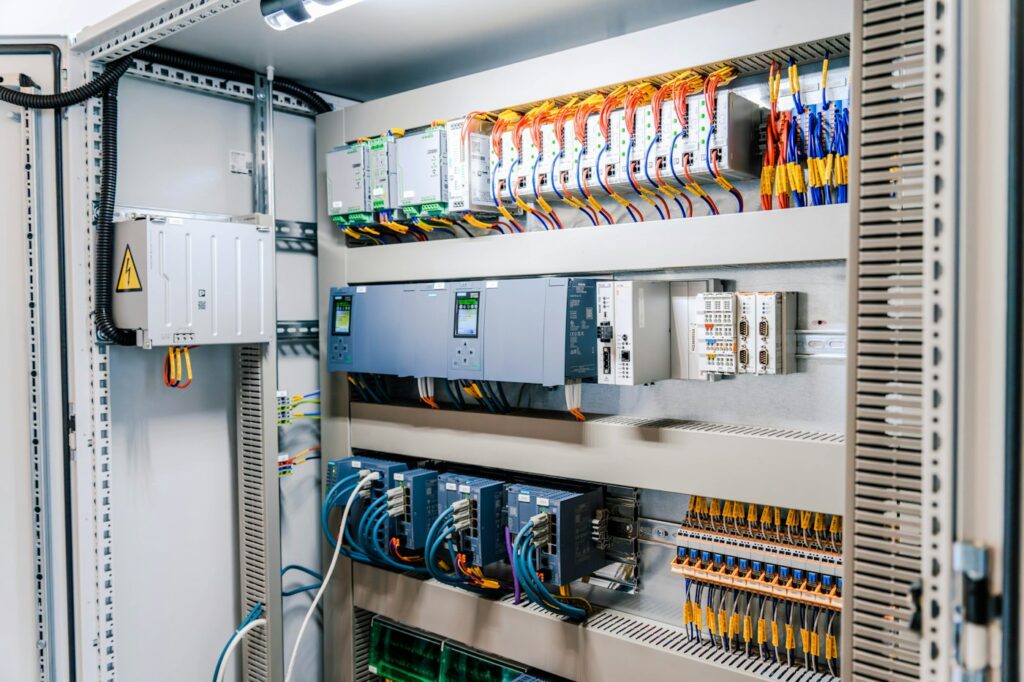
Essential-circuit backup puts a short list of circuits on the system’s backup output, as a dedicated circuit or a small backed-up sub-board. Everything else goes dark in a blackout. This is the standard arrangement on FOXESS systems: FOXESS’s Australian support notes say the inverter’s EPS (emergency power supply) output must connect to a dedicated load circuit.
- Less switchboard work, because only the chosen circuits move.
- Little risk of overloading the backup output, because big appliances aren’t on it.
- A battery that lasts longer, because the load is small.
- The catch: the circuits are chosen at installation, and changing them later means calling an electrician.
EPS ratings by model and how the FOXESS options compare are in how FOXESS backup works.
What is whole home battery backup?
Whole home battery backup keeps the entire switchboard running in an outage. The GoodWe ESA is built for it: GoodWe describes UPS-level, full house backup through a 63 A bypass inside the unit, with no separate gateway needed, and the system switches over in under 4 ms. GoodWe’s three-phase ESA manual shows it wired either way, for the whole house or for nominated circuits only. The ESA’s outage behaviour is covered in GoodWe ESA backup in a blackout.
“Whole home” still has a ceiling. The house can draw only what the backup output allows: 10 kVA continuous on the 9.999 kW ESA models, with up to 20 kVA for 10 seconds to start motors, and 15 kVA on the 15 kW three-phase model. Ducted air conditioning, an oven, a kettle and a dryer running together can exceed that, so a whole home design plans which big loads to avoid or switch off during an outage.
Whole home vs essential circuits compared
| Essential-circuit backup | Whole home backup | |
|---|---|---|
| What stays on | The circuits you choose: typically fridge, lights, internet and some power points | Everything on the switchboard, within the backup output |
| How it’s wired | Backup output feeds a dedicated circuit or backed-up sub-board | The whole switchboard sits behind the system’s bypass and backup switching |
| Switchboard work | The chosen circuits move to the backed-up side | The main supply is routed through the system |
| Overload risk in an outage | Low, because big appliances aren’t connected | Higher: big loads together can exceed the backup output |
| Battery life in an outage | Longer, because the load is small | Shorter, unless big loads are switched off |
| Example in our range | FOXESS EPS output: 5 kVA on the H1 G2, 8 kVA on the KH8 | GoodWe ESA: 63 A bypass, 10 or 15 kVA backup output |
| Suits | Homes that mainly want food, lights and internet kept going | Homes that want no change when the grid drops and can live within the backup output |
Either way, Energy Safe Victoria requires suitable RCD protection on circuits supplied from a backup source, so backup always involves some switchboard work. In our range, the GoodWe ESA 9.99 kW single-phase package gives whole home backup on single-phase supply and the GoodWe ESA 9.99 kW three-phase package does the same on three phase, while the FOXESS KH8 8 kW package backs up essential circuits with an 8 kVA output.
The limit is backup output, not battery size
A bigger battery runs the backup for longer. It doesn’t let you run more at once, because the inverter’s backup output caps the power whatever the battery holds:
| System | Backup output | Short-term peak | Switchover |
|---|---|---|---|
| FOXESS H1-5.0-E-G2 (single phase) | 5 kVA | 6 kVA for 60 s | Under 20 ms |
| FOXESS KH8 (single phase) | 8 kVA | 10 kW for 60 s | Under 10 ms |
| FOXESS KH9.9 (single phase) | 9.9 kVA | 12 kW for 60 s | Under 10 ms |
| GoodWe ESA GW9.999K-EHA-G20 and GW9.999K-ETA-G20 | 10 kVA | 20 kVA for 10 s | Under 4 ms |
| GoodWe ESA GW15K-ETA-G20 (three phase) | 15 kVA | 30 kVA for 10 s | Under 4 ms |
The short-term peak is what lets a fridge compressor or a pump start. When you plan backup, think in two numbers: the power of everything you want running together, which must fit under the backup output, and the energy those loads use over the outage, which the battery has to hold.
What to keep on in a blackout
Start with what you can’t do without, then add what is easy to carry:
- Fridge and freezer, the first priority in most homes.
- Lights, at least in living areas and hallways.
- Internet and phone charging: the modem, the router and a power point or two.
- Gas heating and hot water controls. Gas ducted heating needs electricity for its fan and controls, and continuous-flow gas hot water needs it to fire, so neither runs in a blackout unless its circuit is backed up.
- Medical equipment. If someone relies on powered equipment, back up its circuit, but don’t make the battery the only plan: talk to your retailer and the equipment supplier as well.
- Water pumps, where the home relies on tank water.
Usually left off: electric ovens and cooktops, electric storage hot water, ducted air conditioning and EV chargers. They are the loads most likely to exceed the backup output and to flatten the battery quickly.
Backup on three-phase homes
The same choice applies on three-phase supply, with two extra checks. First, the backup output is a total for the system: 10 or 15 kVA on the GoodWe ESA three-phase models and 5, 10 or 15 kW of EPS output on the FOXESS H3 Smart, depending on the model. If you want to back up a large single-phase load, ask how that output is shared across the three phases. Second, three-phase appliances such as some ducted air conditioners are big loads that usually stay off the backup. While the grid is on, the GoodWe ESA three-phase passes up to 43.5 kVA through its 63 A bypass, so everyday use isn’t held to the backup rating.
Frequently asked questions
Does a home battery automatically give backup in a blackout?
No. A battery keeps power on only if the system has a backup output and the switchboard is wired for it, either for chosen circuits or for the whole home. A grid-connected solar and battery system without backup shuts down when the grid fails, even with a full battery, because it must not send power into the street’s lines. Ask for backup when you get a quote.
Will the lights flicker when the battery takes over?
Possibly, but only for a moment. Changeover times are measured in milliseconds: GoodWe quotes under 4 ms for the ESA, and FOXESS’s datasheets quote under 10 ms for the KH series and under 20 ms for the H1 G2 and H3 Smart. Most appliances ride through a gap that short, though some sensitive electronics may restart.
Can whole home backup run ducted air conditioning?
Sometimes, within limits. The air conditioner has to fit under the backup output alongside everything else that is running, and it draws the battery down quickly. On a 10 kVA GoodWe ESA, a ducted system plus cooking and hot water at the same time can exceed the limit. A practical approach is to keep it off, or run it sparingly, during an outage.
Can I change which circuits are backed up later?
Yes, but it means an electrician and switchboard work, because the backed-up circuits are physically wired to the system’s backup output. Moving from essential circuits to whole home backup is a bigger change and depends on whether the equipment supports it. It is simpler to decide at installation, which is why we ask about backup before we recommend a system.
Sources: GoodWe ESA single-phase datasheet (AU) · GoodWe ESA three-phase datasheet (AU) · GoodWe — ESA 3-10 kW product page · GoodWe ESA three-phase user manual (AU) · FOXESS H1 G2 datasheet (AU) · FOXESS KH datasheet (AU) · FOXESS H3 Smart datasheet (AU) · FOXESS H1/AC1 G2 user manual (AU) · FOXESS KH user manual · FOXESS Australia support — EPS wiring · Energy Safe Victoria — battery energy storage systems
Every figure on this page is checked against its primary source before publication. If a datasheet or a rule changes, this page is updated and the verification date above moves with it.
Decide what stays on before you choose
Build Your System asks whether you want backup power and recommends a system to suit the answer, with indicative pricing. We confirm the switchboard arrangement at a site assessment.