
Product Guides
Battery monitoring apps: FoxCloud 2.0 and SEMS+ compared
FOXESS systems report to FoxCloud 2.0 and GoodWe systems to SEMS+. Both apps show where your power is going and let you change how the battery runs. Here is how they compare, how each system stays connected, and the account details to sort out at handover.
Published 4 September 2026 · Facts last verified 7 October 2026
Quick answer: a battery monitoring app shows your solar, battery, grid and household power in real time, keeps daily to yearly history, raises fault alarms and lets you change how the battery runs. FOXESS systems use FoxCloud 2.0 and GoodWe systems use SEMS+. Both are free on iOS and Android, with a web portal, and both can schedule grid charging and hold a battery reserve.
A battery monitoring app is where you check that the system is doing its job: how much the panels made, how much the battery stored and gave back, and how much you still bought from the grid. It is also where you set the battery up for your tariff, and where faults show up first.
What does a battery monitoring app show?
- Live energy flow. A diagram of power moving between the panels, the battery, the grid and the house, with the battery’s state of charge.
- History. Production and consumption over days, months and years, so you can see how winter compares with summer.
- Savings. Enter your tariff and the app estimates what the system earned or saved. FoxCloud 2.0 takes up to 96 tariff time slots; SEMS+ shows generation revenue, electricity bought and feed-in revenue once prices are set.
- Alarms. Current faults with descriptions, plus a record of past alarms.
- Controls. Battery modes, schedules and charge limits, covered below.
FoxCloud 2.0 vs SEMS+ side by side
| FoxCloud 2.0 (FOXESS) | SEMS+ (GoodWe) | |
|---|---|---|
| Platforms | iOS and Android app, web portal at foxesscloud.com | iOS and Android app, SEMS Portal on the web |
| Cost | Free | Free |
| Live view | Energy flow for panels, battery, grid and home; battery state of charge | Energy flow; battery state of charge and charge or discharge status |
| History | Trends by day, week, month and year | Power and energy charts over different time ranges |
| Savings tracking | Revenue from the tariff plan you enter | Generation revenue, electricity bought and feed-in revenue |
| Alarms | Current alarms with descriptions, plus alarm history | Alarm subscriptions, pushed to the app or by email |
| Battery modes | Self-use, Feed-in Priority, Back Up, Peak Shaving, Force Charge, Force Discharge, Mode Scheduler | Self-consumption, Backup, TOU, Peakshaving, Delayed Charging, Off-grid |
| Scheduled grid charging | Force Charge, timed with Mode Scheduler | TOU mode |
| Sharing | Installers invite owners; owners can link an installer | Share with people or organisations, with set permissions and an end date |
Both apps also list an AI mode. FOXESS’s app manual (February 2026) said its AI mode was available in the Netherlands, with other regions to follow, and GoodWe says the working modes available vary by inverter model, so check with your installer before counting on one.
Which battery settings can you change?
Both apps let owners choose how the battery runs. The names differ, but the main options line up:
- Self-use or Self-consumption. Solar supplies the house first, the surplus charges the battery, and the battery covers the evening. It is the usual setting for a home that wants to use its own solar.
- Feed-in Priority (FoxCloud). Puts exports to the grid first, for plans that pay well for them.
- Backup. Keeps charge in reserve for outages. FoxCloud’s Back Up mode charges to a set level and blocks discharge; SEMS+ can buy power from the grid to hold the battery at its backup level.
- Time-of-use scheduling. FoxCloud’s Force Charge mode charges the battery from solar, the grid or both until it reaches a target level, and its Mode Scheduler switches modes at set times. SEMS+ has a TOU mode that charges from the grid when power is cheap and discharges when it is dear.
- Charge limits. Both let you set the lowest level the battery will discharge to, keeping a reserve for blackouts or the evening peak.
Scheduling is what makes a tariff such as Victoria’s Midday Power Saver, which starts on 1 October 2026, work for a battery: set a grid charge in the free 11 am to 2 pm window on cloudy days, then let the battery run the house through the evening peak.
Some settings stay with the installer. GoodWe says custom safety parameters can only be changed by installers, and only installer accounts can upgrade firmware in SEMS+. The FoxCloud app can update firmware on the H1 G2, and FOXESS notes that settings made on site take precedence over the app. Leave the export limit where your installer set it, because it matches your network approval.
How do the systems stay connected?
| System | Standard connection | Optional |
|---|---|---|
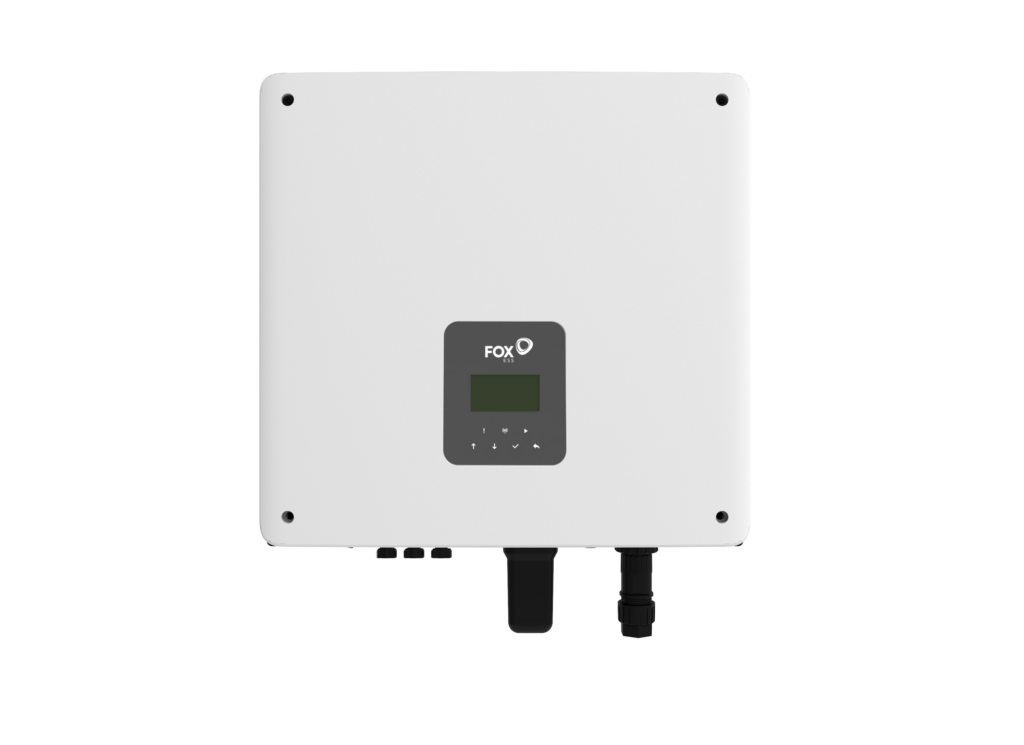
| FOXESS H1 G2 | Wi-Fi | LAN, 4G |
| FOXESS KH8 and KH9.9 | Wi-Fi | 4G |
| FOXESS H3 Smart | Wi-Fi, LAN, Bluetooth | 4G |
| GoodWe ESA (all models) | Wi-Fi, LAN, Bluetooth | 4G |
FOXESS’s app manual asks for a 2.4 GHz Wi-Fi network during setup, so check your router before installation day. After that, keep the system online, for four reasons:
- Victoria’s emergency backstop. Since 1 October 2024, new and upgraded solar systems up to 200 kW have needed an inverter that can be managed remotely and a reliable internet connection, so distributors can limit output in a rare grid emergency.
- Flexible exports. United Energy’s flexible exports, available from 1 July 2026, require systems to be CSIP-AUS compliant and internet-enabled.
- Warranty. FOXESS’s battery warranty requires the battery to be registered and connected to the Fox ESS website at commissioning.
- Faults and support. Alarms, history and remote help all depend on the connection.
Who owns the account, and what can your installer see?
Both apps separate owners from installers.
- FoxCloud 2.0 has owner accounts, for the people who own the plant, and installer or agent accounts, which create plants and handle maintenance. An installer can invite you to a plant they set up, and an owner can use Associate Installer to share a plant with an installer for after-sales support.
- SEMS+ gives owners, installers and companies different levels of access. Owners can share a station with people or organisations, with set permissions and an end date.
Ownership matters beyond tidiness. GoodWe’s page on Amber’s SmartShift program (January 2026) says only the owner of the power station can register and authorise it, so the installer may need to change your role to owner first. Other virtual power plant programs may ask for similar authorisation; our guide to home batteries and virtual power plants explains what joining involves.
At handover, check three things: the plant or station is in your name with the owner role, you have your own login, and your installer keeps access so they can see alarms and help remotely. When you sell the house, the station needs to move to the new owner.
Should the app decide which battery you buy?
Rarely. Both apps cover the essentials: live flows, history, savings tracking, alarms, schedules and reserve settings. The differences are in the details. FoxCloud 2.0 has a detailed tariff setup and can update H1 G2 firmware from the app. SEMS+ can push alarms by email and put an end date on access you share, and every GoodWe ESA connects over Wi-Fi, LAN or Bluetooth as standard.
The hardware matters more: backup, inverter size and battery size. Our FOXESS battery systems guide and GoodWe ESA guide cover each range. The FOXESS 5 kW single-phase system with 27.84 kWh and the GoodWe ESA 9.99 kW single-phase system with 16 kWh are two starting points, and Build Your System recommends one for your home.
Frequently asked questions
Is the FoxCloud app free?
Yes. FoxCloud 2.0 is a free download for iOS and Android, published by FOXESS, and the same account works on the web portal at foxesscloud.com. It shows live energy flows, production and consumption history, revenue from the tariff you enter and alarms, and it lets owners change battery modes and schedules.
Is the GoodWe SEMS app the same as SEMS+?
SEMS+ is GoodWe’s monitoring app, free on iOS and Android, and SEMS Portal is the web version of the same platform. Together they show real-time energy flows, history, revenue and alarms, and let owners set the battery’s working mode, charge limits and backup reserve. Installers use the same platform with wider permissions.
Can I charge my battery from the grid with the app?
Yes, on both. In FoxCloud 2.0, Force Charge mode charges from solar, the grid or both up to a target level, and Mode Scheduler runs it at set times. In SEMS+, TOU mode charges from the grid in cheaper periods and discharges in dearer ones. The modes available vary by inverter model, so check with your installer.
Does my battery need to stay connected to the internet?
It should. In Victoria, new and upgraded solar systems need a reliable internet connection for the emergency backstop, with some exceptions, and flexible export arrangements need the system online. FOXESS’s battery warranty requires registration and a connection to the Fox ESS website at commissioning. Offline, you also lose alarms, history and remote support.
Can my installer see my battery data?
Only with access to your plant or station. Installers often create the system under their own account and invite you to it, and you can also link or share it with them yourself. With access they can see live data and alarms. On SEMS+, installers can also change safety settings and upgrade firmware, which owner accounts can’t.
Sources: FOXESS — FoxCloud 2.0 · FOXESS — FoxCloud 2.0 app user manual · FOXESS — FoxCloud mode selection guide (AU) · FoxCloud2.0 on the App Store · FOXESS H1 G2 datasheet (AU) · FOXESS KH datasheet (AU) · FOXESS H3 Smart datasheet (AU) · FOXESS battery warranty (AU) · GoodWe — SEMS smart energy management system · GoodWe — SEMS+ app user manual (AU) · SEMS+ on the App Store · GoodWe ESA three-phase user manual (AU) · GoodWe ESA single-phase datasheet (AU) · GoodWe ESA three-phase datasheet (AU) · GoodWe — Amber SmartShift · Victorian Government — emergency backstop for solar · United Energy — flexible exports
Every figure on this page is checked against its primary source before publication. If an app, a datasheet or a program changes, this page is updated and the verification date above moves with it.
Choose the system first, then the app follows
Build Your System asks four quick questions, then recommends a FOXESS or GoodWe system sized to your answers, with indicative pricing.